

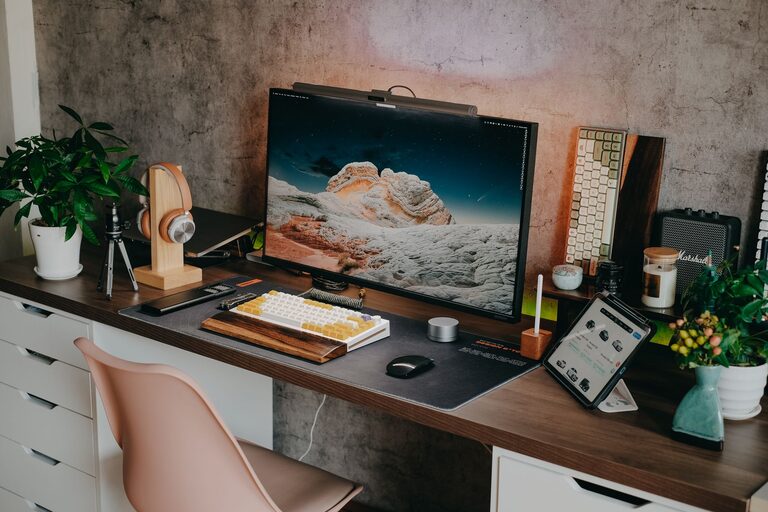
Creating a dedicated home workspace that is both clutter-free and efficient can significantly improve your productivity and overall work experience. Whether you work remotely, freelance, or need a spot for personal projects, an organized desk and environment help reduce distractions and make it easier to focus.
In this post, we’ll explore practical tips and strategies to transform your home workspace into an inviting, efficient area that supports your best work.
Why Organizing Your Home Workspace Matters
A cluttered workspace often leads to wasted time searching for items, increased stress, and decreased motivation. Conversely, a well-organized area:
– Helps maintain focus by minimizing distractions.
– Makes it easier to find tools and documents when you need them.
– Creates a calming environment that reduces work-related stress.
– Encourages positive work habits and consistency.
Now, let’s dive into the steps you can take to organize your workspace effectively.
Assess Your Current Workspace
Before making changes, spend some time assessing your current setup:
– What items do you use daily, weekly, or rarely?
– What tends to create the most clutter or distractions?
– Is your workspace physically comfortable and well-lit?
Knowing these answers will guide your organization process and ensure you only keep what’s necessary.
Clear and Declutter
Start with a fresh slate:
- **Remove everything** from your desk and surrounding areas.
- **Sort items** into categories: keep, relocate, or discard.
- **Dispose of trash**, recycling, or old documents you no longer need.
- **Evaluate cables** and electronic devices—are all necessary?
By decluttering, you create space and reduce visual noise, making way for a clean, efficient setup.
Choose Functional Storage Solutions
Effective storage is essential to keep your supplies organized and out of sight.
– Use drawer organizers to separate pens, paper clips, and other small items.
– Incorporate shelving or wall-mounted organizers for frequently used materials.
– Label storage containers to make retrieving items quicker.
– Consider vertical storage to maximize limited space.
– Use cable management tools such as clips, sleeves, or boxes to keep cords neat.
Selecting the right storage options supports a cleaner desk and prevents clutter from returning.
Optimize Your Desk Layout
Your desk arrangement can affect comfort and workflow. Consider:
– Position your monitor(s) at eye level to reduce neck strain.
– Keep essential items within arm’s reach to reduce interruptions.
– Leave space for paperwork or note-taking to avoid cluttered surfaces.
– Place a small tray or organizer on your desk for daily essentials.
– Use desk mats or pads to define work areas and protect surfaces.
A thoughtful layout helps keep your workspace functional and pleasant throughout your workday.
Maintain Good Lighting
Proper lighting plays a big role in your workspace comfort and efficiency:
– Use natural light when possible—position your desk near a window.
– Supplement with adjustable task lighting for focused work.
– Avoid harsh overhead lights or glare on screens.
– Choose bulbs with a neutral or daylight color temperature to reduce eye strain.
Good lighting keeps you alert and prevents fatigue.
Personalize Mindfully
Adding personal touches can make your workspace inviting without creating clutter:
– Display one or two photos or artwork pieces.
– Include a small plant to bring greenery and freshness.
– Use simple and coordinated accessories to avoid a busy appearance.
Remember, personalization should support your comfort, not distract.
Establish Daily Tidying Habits
Keeping your workspace organized requires ongoing effort:
– Spend 5 minutes at the end of each day clearing your desk.
– File documents immediately rather than stacking them.
– Regularly clean your keyboard, monitor, and surface areas.
– Review storage areas periodically to remove outdated or unused items.
Consistency ensures a clutter-free space that’s ready each morning.
Use Technology to Reduce Paper Clutter
Digital tools can reduce the amount of physical paperwork:
– Scan and organize important papers electronically.
– Use cloud storage for easy access and backup.
– Employ productivity apps for task management instead of sticky notes.
– Opt for digital calendars and reminders to keep your schedule in check.
Going paperless with these tools reduces clutter and improves efficiency.
Create Zones for Different Tasks
If space allows, divide your workspace into zones tailored to specific activities:
– A typing or computer work zone.
– A reference zone with books or manuals.
– A creative or brainstorming area with whiteboards or corkboards.
These zones can help you switch focus smoothly and keep materials organized by task.
Final Thoughts
Organizing a clutter-free and efficient home workspace is a worthwhile investment in your productivity and well-being. By decluttering, using smart storage, optimizing your desk layout, and maintaining good habits, you can create a space that supports your goals and keeps you motivated.
Start with small changes and adapt your setup as your needs evolve. With time and attention, your home workspace will become a comfortable, efficient place where you can do your best work every day.